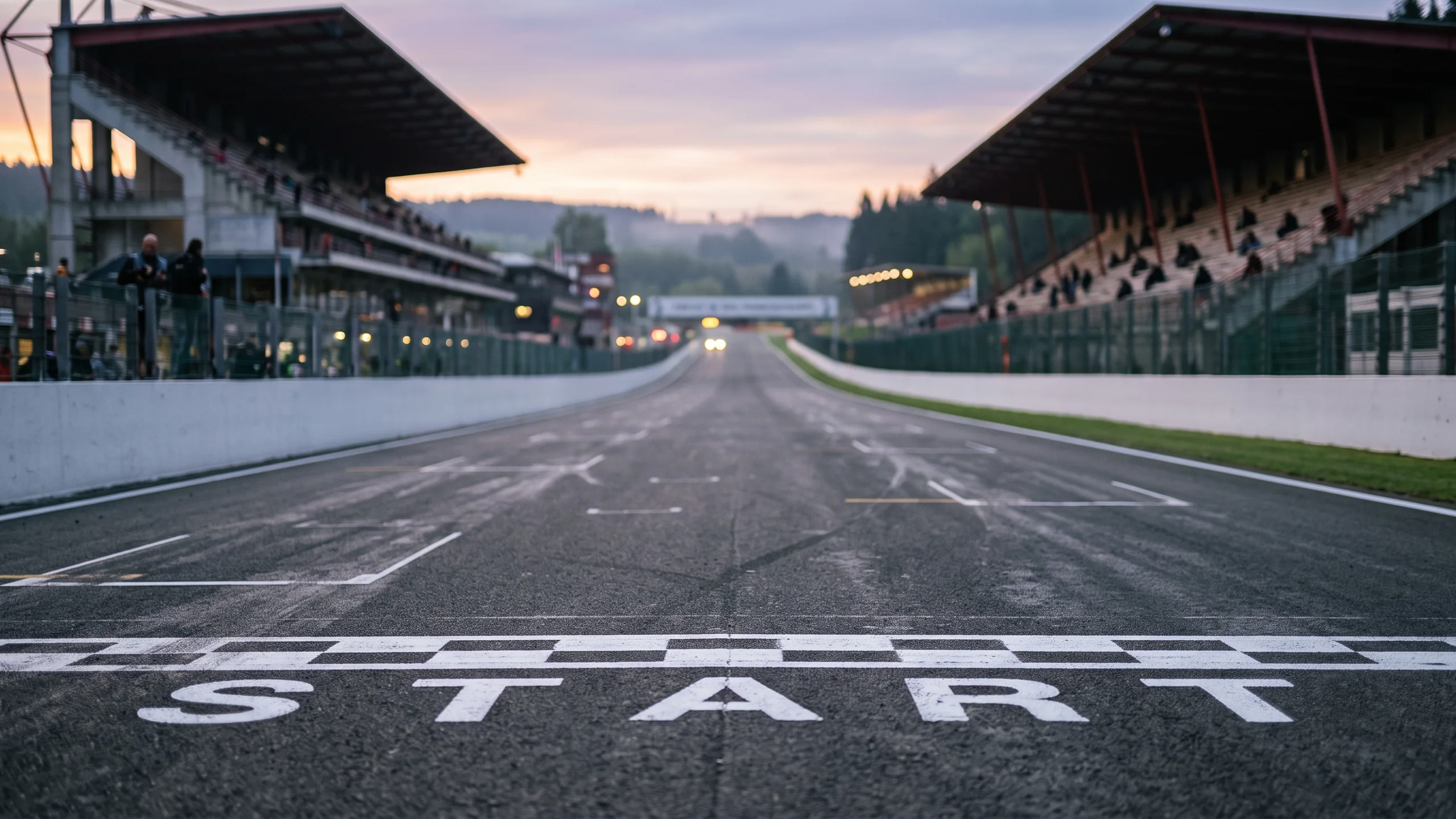

Now running your venue is as easy as walking it.
Open on the ease promise, which ties back to the relaunch post: the new TrackWalk makes running the venue as easy as walking it.
Today: where it came from, what's at stake, then the product on a demo venue, the fictional Edinburgh Grand Prix Circuit.
Our story started with the grip of the track.
TrackWalk grew out of Dr Campbell Waddell’s doctoral research into the grip of motorsport surfaces: six years at Ulster University, carried out in consultation with the FIA and Formula 1.
That work took him onto circuits worldwide, where he was surprised to find the operation around the track still ran on scattered tools, paper forms and memory.
We built TrackWalk with race directors and operations teams to fix that: every action, asset, incident and inspection in one live system.
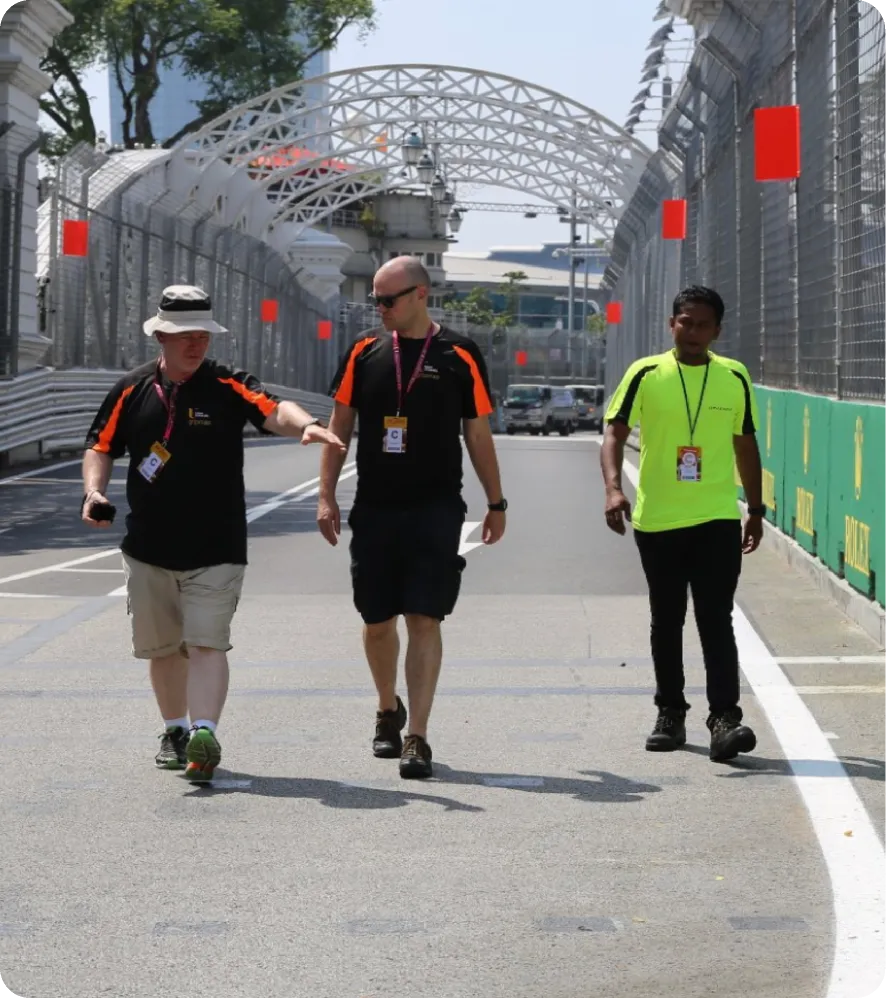
Six years measuring something nobody had systematically measured: the surface side of the tyre and track interface. GripMap takes 20,000 to 80,000 grip samples per track.
Talk about the research specifics. Don't claim an FIA adoption of the standard: we don't hold a citable reference for it yet.
So we built TrackWalk around them.
An app for in the field.
A command centre for in the office.
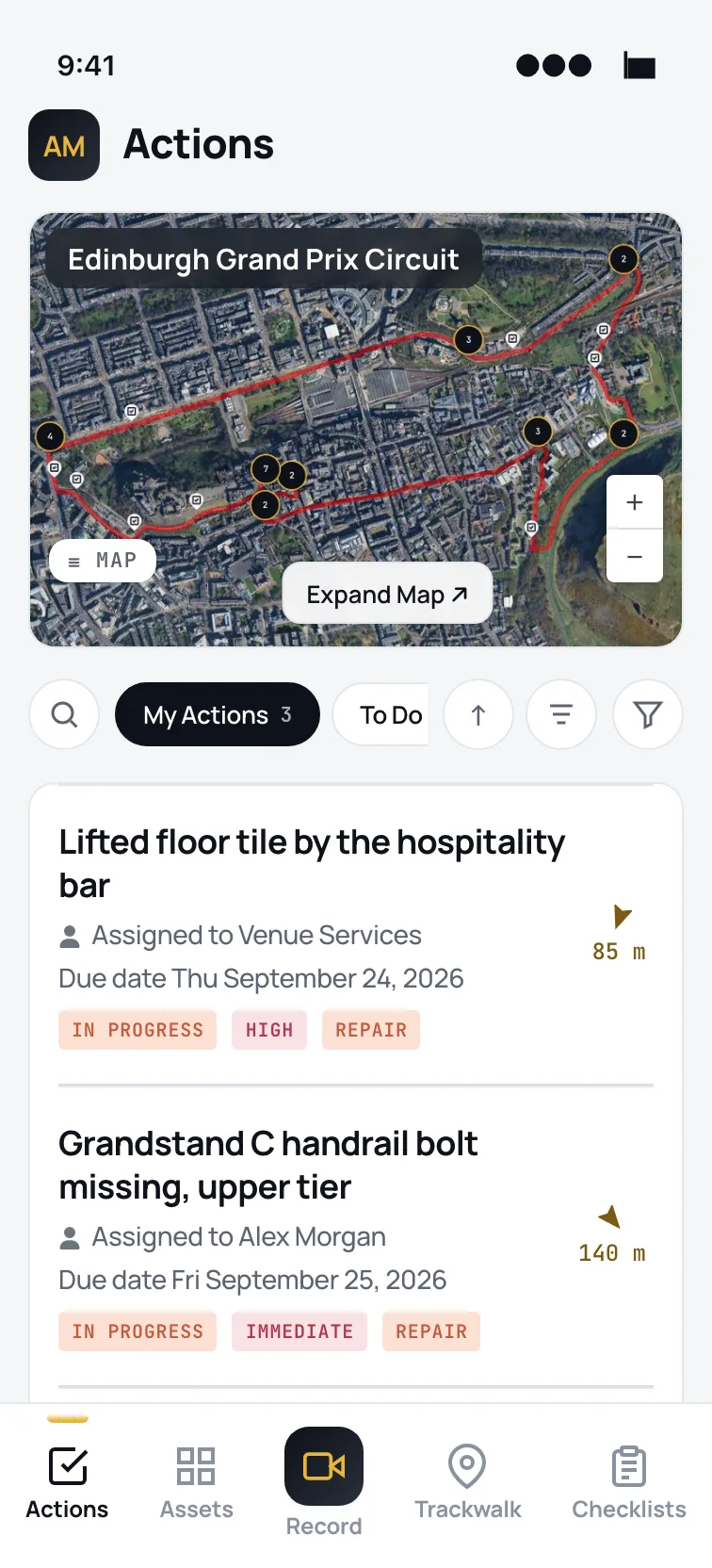
For 1 and 2
In the field
Point your phone and say what needs doing. Walk the venue and log what you find. Work through checklists where you stand, even offline.
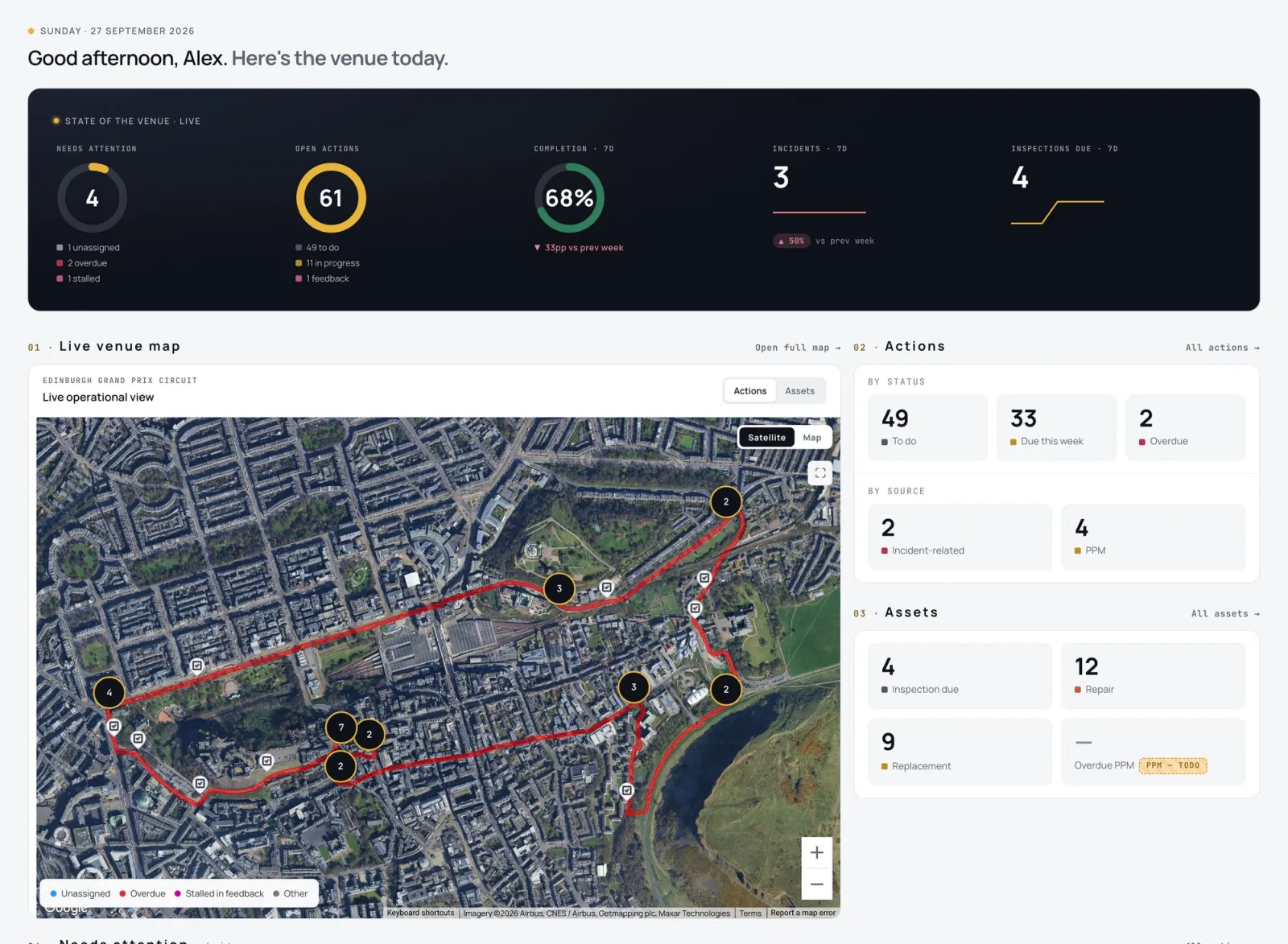
For 3 and 4
In the office
What needs attention comes first, the whole venue on one map, and every incident linked to what was done about it.
The bridge from the problem to the product. TrackWalk is built in two halves that share one live picture: the phone app is the get-it-done companion for people out on the venue, and the web platform is the command centre for the people coordinating them.
The next slides take the four things in turn on the Edinburgh demo venue.
Say what you see.
TrackWalk does the paperwork.
1 / 5
Spot it. Tap Record.
Something needs fixing. The Record button sits in the middle of every screen, one tap away.
2 / 5
Choose what it is.
A new action, an inspection done on the spot, or an incident. This one needs fixing, so it’s a new action.
3 / 5
Film it while you talk.
Your words are transcribed on the phone as you speak. The card on screen reminds you what to cover, including who should fix it.
What was said
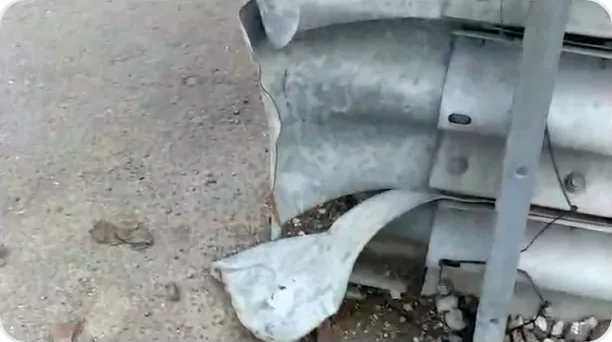
“Damage to Armco, Turn 3, needs to be replaced immediately. Assign to Maintenance Crew.”
4 / 5
Every detail lands in the right place.
The footage is attached as evidence. Check it, change anything, create.
What was said
“Damage to Armco, Turn 3, needs to be replaced immediately. Assign to Maintenance Crew.”
- “Armco”AssetGuardrail
- “Turn 3”LocationTurn 3
- “replaced”TypeReplace
- “immediately”PriorityImmediate
- “Maintenance Crew”AssigneeMaintenance Crew
5 / 5
Assigned, tracked, on the record.
Maintenance Crew have it on their phones in real time, with a due date and the video. In the office it’s already in the queue, with who raised it and when.
“I just want to point my phone at what needs doing, and know it’s logged and assigned.”
Click or press the right arrow to move through the five steps; the phone follows. Turn 3, the guardrail hit on lap 41: record a few seconds of video and say what you see. TrackWalk keeps the video, fills the job in and assigns it. It works offline.
Step 4 animates the spoken words into the fields; step 5 shows the new action arriving at the top of the list, with the counts ticking up and the sync confirmation.
The same capture works for a lifted floor tile in hospitality.
Track walks. A report on the whole venue, or just the part you’re walking.
Your monthly and weekly walk-rounds
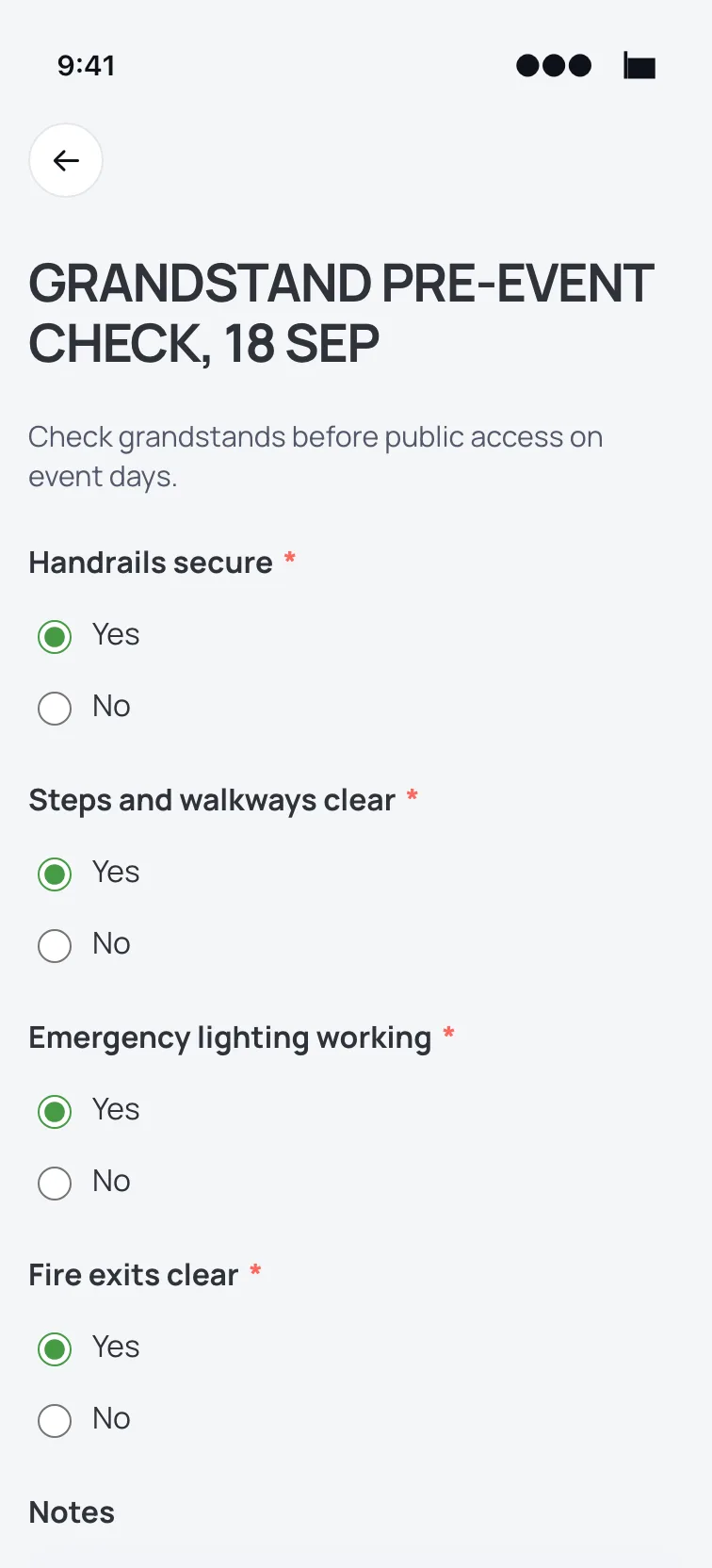
Walk the whole venue or one area. Who walked it, what it found and how much has been closed, in one record.
Speak as you walk
Each finding is recorded on the phone with video and voice. TrackWalk writes it up, sets the priority, tags the asset type and pins it where it was found.
Before and after a hire
Walk the venue before you hand it over and keep the report. Walk it again when it comes back. If something is damaged or broken, you have the record to charge it back to the hirer.
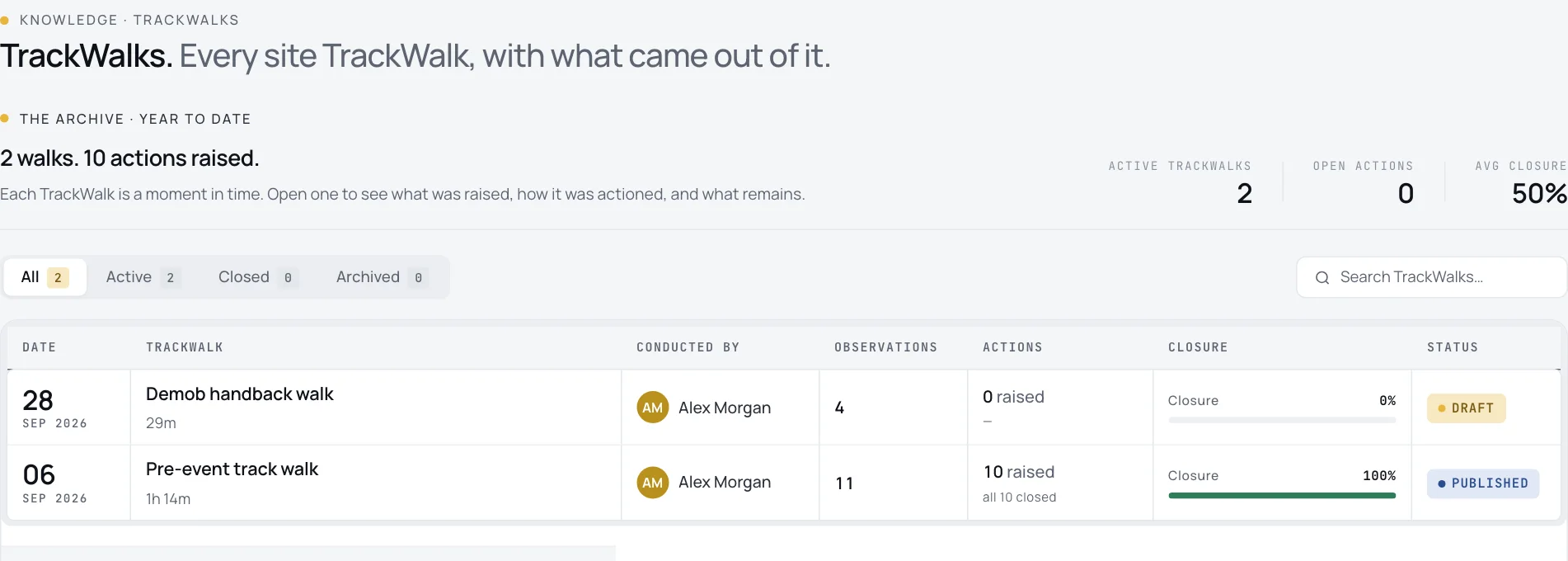
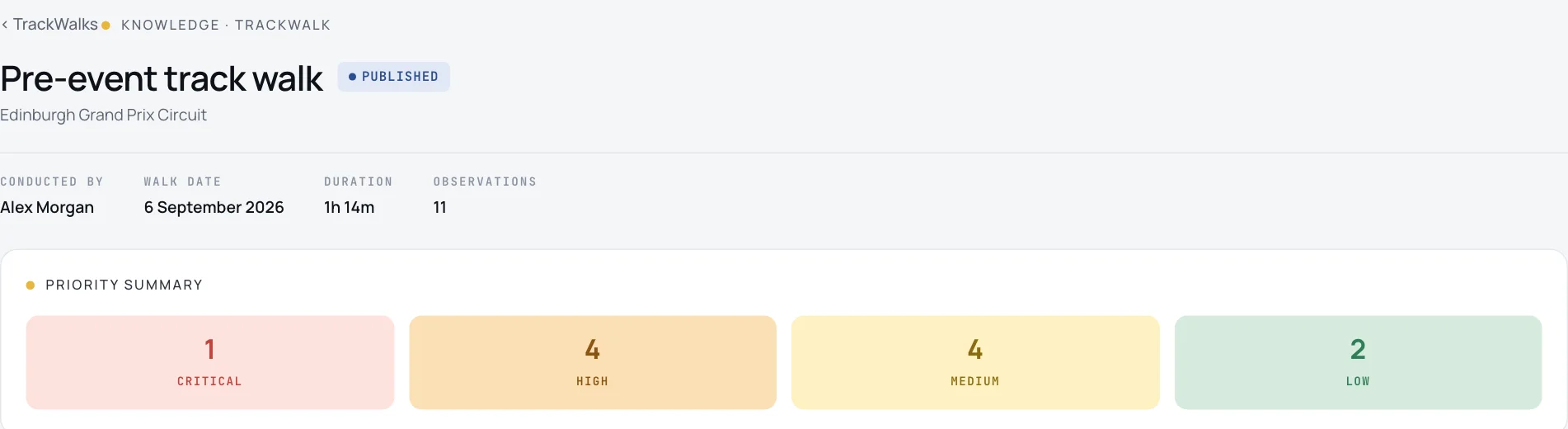
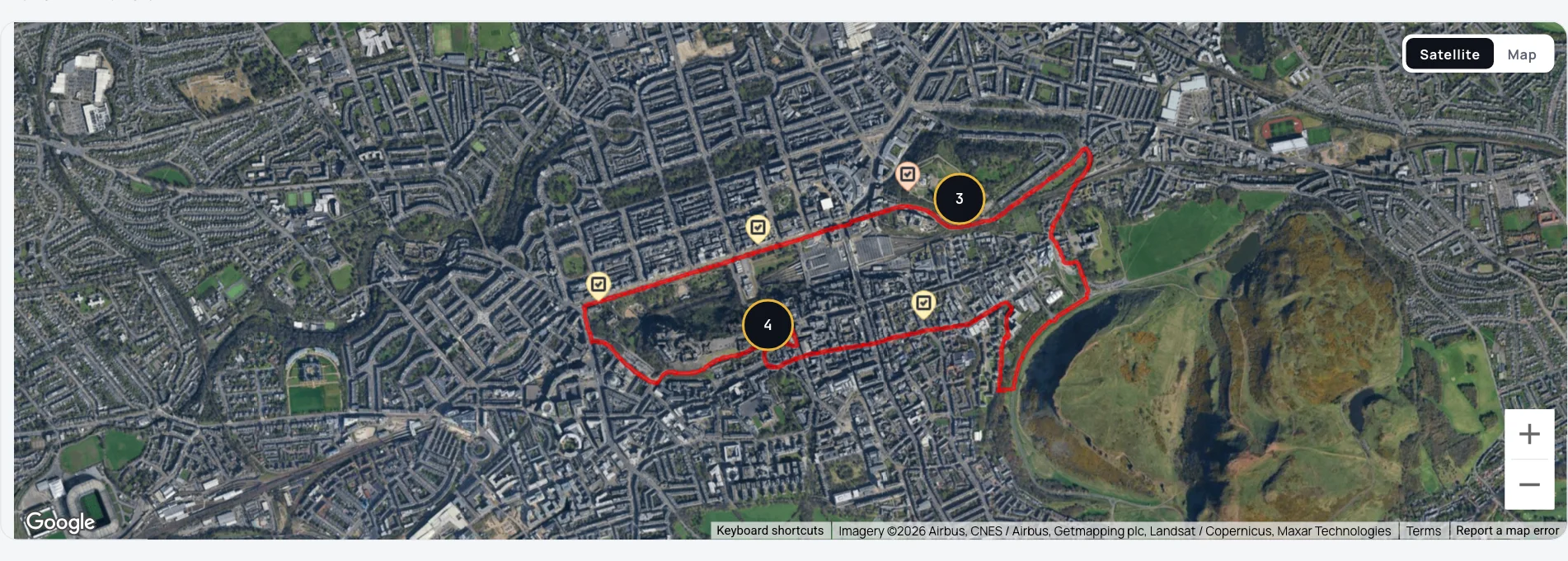
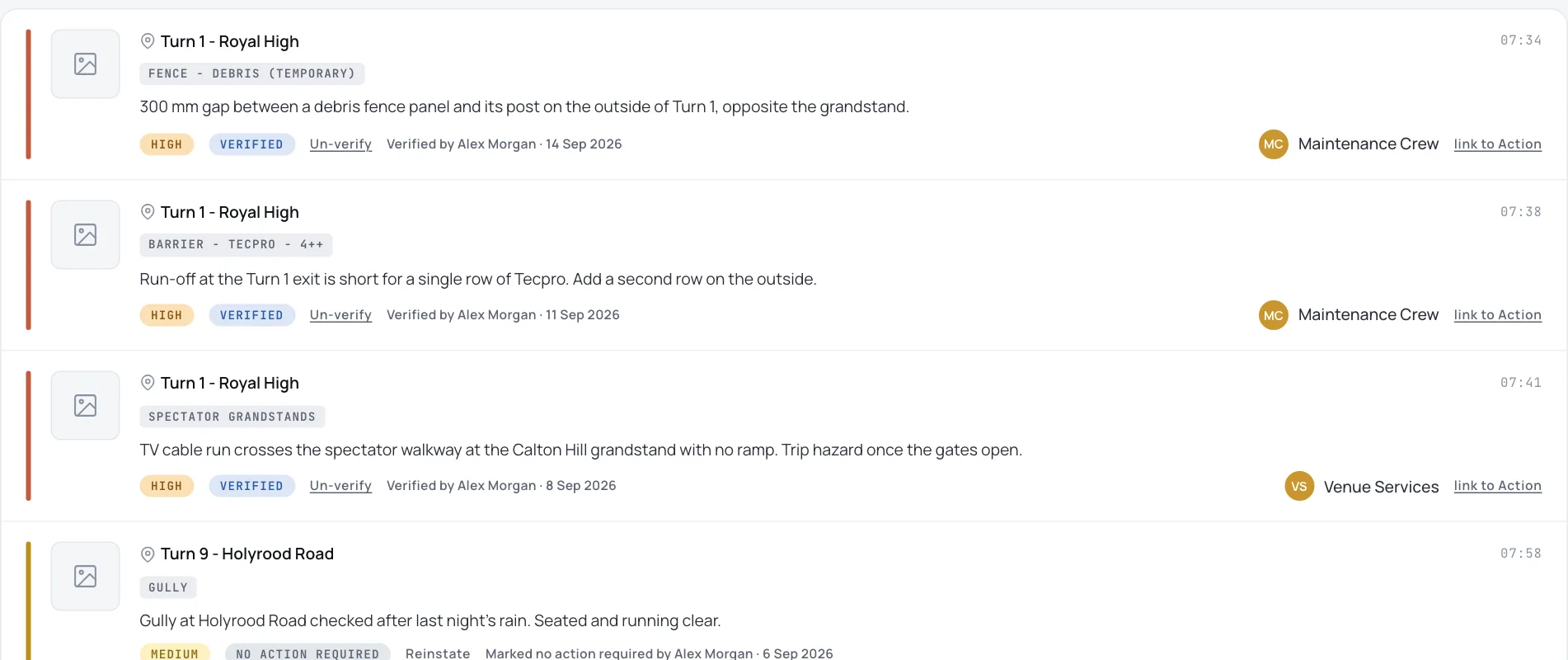
Track walks are a fast way to gather a report on the whole venue or just part of it: the monthly walk-round, the weekly look at one area. It automates the walk and makes the report quick to build.
A good example is a hire. Walk the venue or space before you hand it over and keep the report on its condition. Walk it again on return. If something is damaged or broken, you have the record to charge it back to the customer hiring.
On screen: the pre-event walk at Edinburgh, 11 observations in an hour and a quarter, 10 became actions and one, a gully checked after rain, was marked no action needed. All 10 were closed and verified before the race. On the track and off it: the grandstand walkway and the hospitality steps were on the same walk.
The report is the venue’s own record of the walk. Don’t compare it with an external or governing-body inspection (Message Bank guardrail 18). The before and after is two walks kept side by side; there is no automatic comparison view yet.
Set it once.
Routine checks come round on schedule.
1 / 5
It arrives as an action.
The marshal post check is set up once, to repeat every morning of the event. It lands in the team’s action list like any other job, due today.
2 / 5
Work through it where you stand.
Choose the post, count the marshals, tick off the flags, confirm the extinguisher and the radio check. Required items can’t be skipped.
3 / 5
Anything that fails becomes an action.
The extinguisher at MP 5.0 is out of date. Submit, and the follow-up is raised for Maintenance Crew, with the checklist attached.
4 / 5
Done, and on the record.
Submitted with a name and the time. In the office, every post’s check is visible, along with what’s overdue and who’s on it.
5 / 5
And when you need a one-off.
VIP arriving by helicopter tomorrow? Assign the helipad checklist to the ops team in seconds.
“It’s too easy for routine stuff to get forgotten.”
Checklists carry most of a venue’s routine work: marshal post checks, track sweeps, check-calls, extinguisher rounds, pre- and post-event checks. They can repeat on any schedule (days of the week, fortnightly, monthly, quarterly) or be assigned as a one-off to a person or a team, and each one arrives as an action.
Click through the five steps. The form uses every answer type: multiple choice, number, multi select, yes/no, date, checkbox, short and long answer. On step 3 the failed extinguisher raises its own follow-up.
Off the track too: the medical centre, fire doors, event build and derig.
One venue, one view.
What’s happening, what’s slipping, who’s on it.
1 / 5
The state of the venue, live.
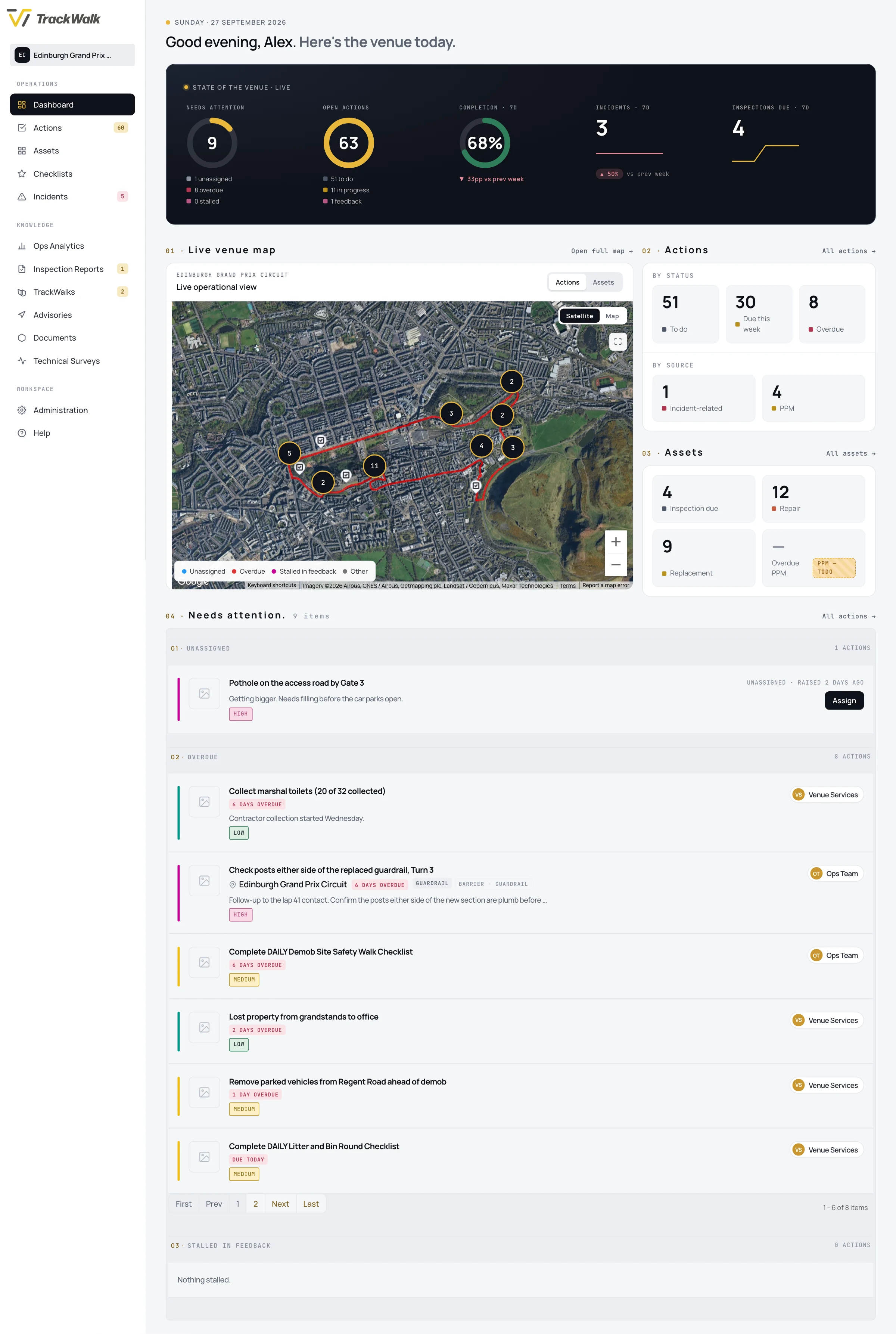
Five dials: what needs attention, open work, completion and incidents against last week, and inspections due in the next seven days. The day, read in seconds.
2 / 5
The whole footprint on one map.
Every job and every asset where it was found, across the track and the estate. Switch between actions and assets, and click a pin to open it.
3 / 5
Open work and asset health.
What’s to do, due this week and overdue, what came from incidents and PPM, and which assets need inspecting, repairing or replacing.
4 / 5
Every number opens the list behind it.
Eight overdue? One click and there they are, ready to assign.
5 / 5
The queue comes to you.
Unassigned, overdue and stalled work rises to the top. Give it an owner or close it, and the dials update as you go.
Two clicks before the spotlight. The slide opens on black with the dials idling. Click once and the dash fires up: every needle sweeps full scale and back, the warning lights come on and go out, and only Unassigned and Overdue stay lit. Click again and it zooms out to the dashboard it lives on. Talk over the idle: “A week after the race. Before anyone rings you, this is what you want to know.”
“I need one place that tells me what’s happening, what’s slipping and who’s on it.” The dashboard is the whole picture; step 5, the live queue, is where you act on it.
Completion is the change in completion against the previous week, not a proportion, so it can read above 100% when older work is being cleared.
The figures are the demo venue on Sunday 27 September, a week after the race: nine need attention, the Gate 3 pothole nobody owns yet and eight overdue jobs.
Step 5 is the live queue: the pothole goes to Maintenance Crew, then the marshal toilet collection is resolved with a note, and the dials drop from nine to seven.
Every week, in numbers.
The evidence the operation’s under control.
1 / 5
Five weeks of work at a glance.
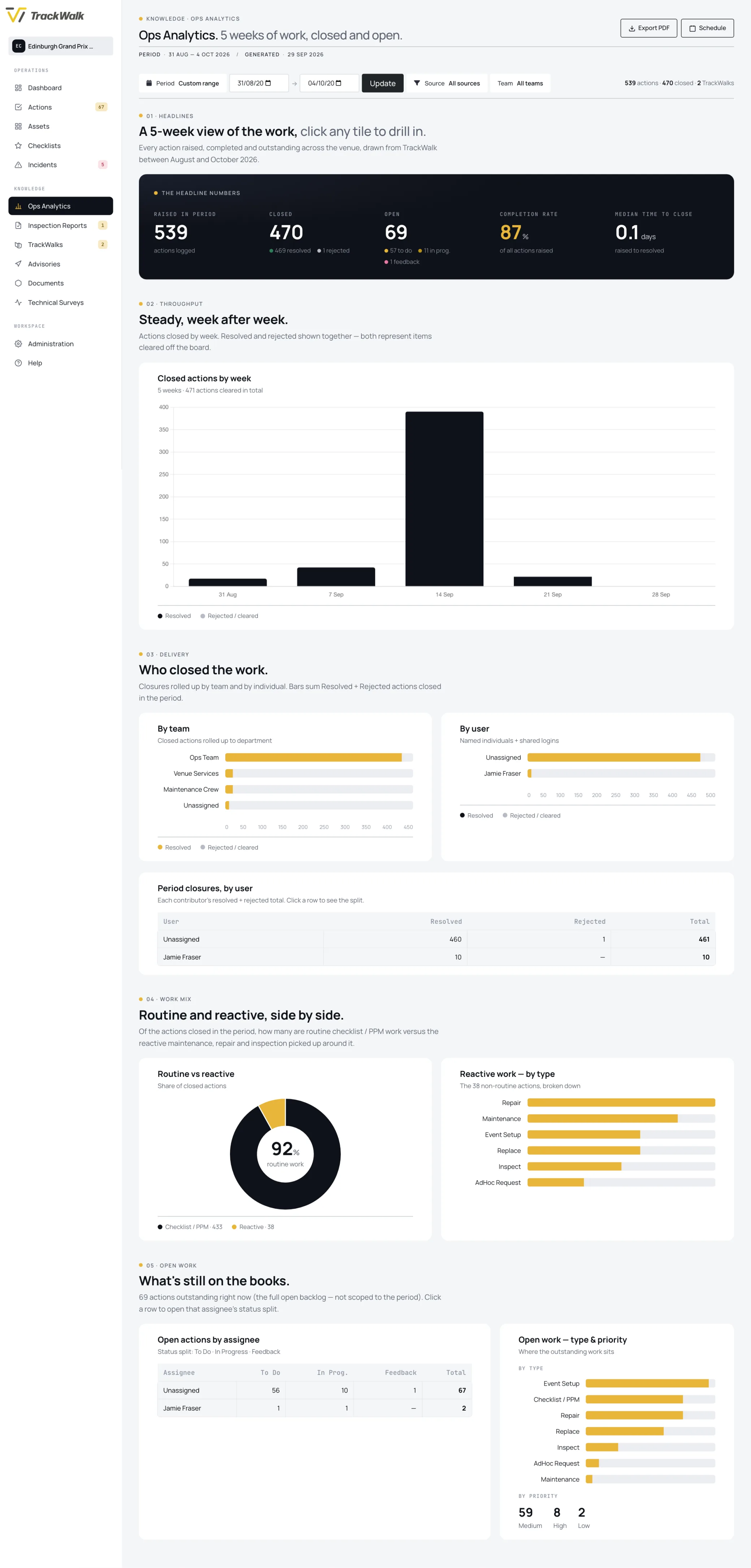
539 jobs raised, 470 closed, 87% completion, and a median of 0.1 days to close.
2 / 5
Week after week.
Closed work by week, with race week standing out, so you can see how the load moves around the event.
3 / 5
Who closed the work.
By team, so the effort behind the numbers is visible.
4 / 5
Routine, not reactive.
92% of the work closed was routine checklists and PPM. A venue running on schedule, not firefighting.
5 / 5
Share it with the people who ask.
Export a PDF for the board, the insurer or the governing body, or schedule it to arrive every week.
Ops Analytics: the same data over weeks. Filter by period, source and team, and click any figure to drill in.
Routine against reactive is the payoff: checklists and PPM carry most of the work.
Export and scheduled reports are on the roadmap for the relaunch; present them as available.
 Export record

“If something happens, it’s too difficult to show how we prepared and responded.”
The response is recorded
as it happens.
So when someone asks,
you can show them.
1 / 5
The crash at Turn 3, logged at 15:46.
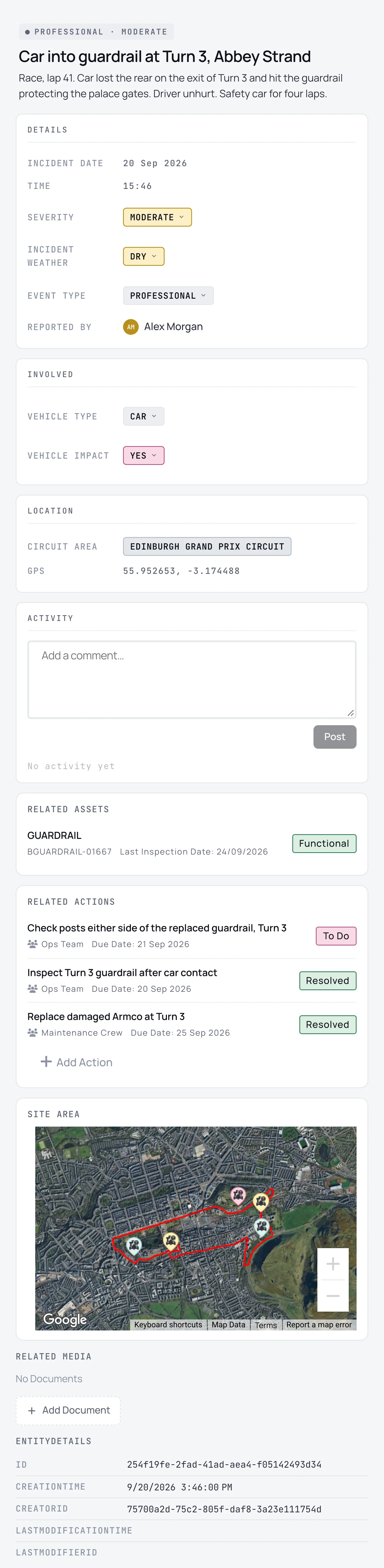
Lap 41, a car into the guardrail at Abbey Strand. Severity, weather, vehicle impact, location and who reported it, logged against the circuit that afternoon.
2 / 5
Every follow-up raised from the incident.
An inspection of the rail, its replacement, and a check of the posts either side. Each has a team and a due date, and each links back to lap 41.
3 / 5
The repair, closed with evidence.
Maintenance Crew replaced two rails and three posts on 24 September. The job couldn’t close without a photo, and the guardrail’s own record now shows it functional and inspected that day.
4 / 5
Every entry named and dated.
From the voice note on the post-event walk to sign-off three days later: who did what, and when, all linked back to the incident.
5 / 5
The whole record, exported in one go.
One PDF for the insurer, the governing body or a claimant’s solicitor: the incident, its actions, the photo, the asset and every log entry, with names and dates.
Open by reading the quote: this is the fourth thing venue teams told us. The answer is that the record builds itself while the work is done, so nobody has to reconstruct it afterwards.
Five clicks, and the timeline under the copy fills as you go. 1: the incident details. 2: the three actions raised from it. 3: the repair is resolved on screen; Mark resolved is refused until a photo is attached, because this action requires evidence, then the resolved job and the guardrail marked functional. 4: the action log scrolls, every entry named and dated. 5: the whole record exported as one PDF.
Exporting an incident record is on the roadmap for the relaunch; present it as available. The evidence dialog is the web app’s own, in its evidence-required state.
Keep this in the provability register: evidence, names, dates. No ease language on this slide.
“TrackWalk has impressed us from the start. The platform makes getting things done happen on time, every time, while giving us a clearer picture of risk across the venue.”
Lee Howkins, Circuit Manager, Silverstone
In daily use at



Lee's quote covers most of the story in one line: on time, every time, and a clearer picture of risk across the venue.

Safer venues. Sharper operations.
Book a guided walkthrough on your own circuit. Send us your drawings and we’ll load your venue first.
hello@trackwalk.com · trackwalk.com
Confidential. This presentation contains confidential information intended solely for the individual or entity it is addressed to, including technical, financial and business information. Please do not disclose or share any part of it, including its existence, without the prior written consent of R3 Ltd.
Close on the summary line and a guided walkthrough, run remotely on their own circuit.